New to Elasticsearch? Join our getting started with Elasticsearch webinar. You can also start a free cloud trial or try Elastic on your machine now.
Since 8.16, users have been able to configure the chunking strategy used when ingesting long documents into semantic text fields. As of 9.1 / 8.19, we have introduced a new configurable recursive chunking strategy that uses a list of regular expressions to chunk the document. The goal of chunking is to split a long document into sections that encapsulate related content. Our existing strategies will split text up on a granularity of words/sentences, but documents written in structured formats (ex. Markdown) often contain related content within sections that are defined by some separating strings (ex. headers). For these types of documents, we are introducing the recursive chunking strategy to leverage the format of structured documents to create better chunks!
What is recursive chunking?
Recursive chunking will iterate through a list of provided sections separating patterns to progressively break a document into smaller segments until they meet a desired maximum chunk size.
How do I configure recursive chunking?
The following are the configurable values provided by the user for recursive chunking:
- (required)
max_chunk_size: The maximum number of words in a chunk. - Either one of:
separators: A list of regex string patterns that will be used to split the document into chunks.separator_group: A string that will map to a default list of separators defined by Elastic to use for specific types of documents. Currently,markdownandplaintextare available.
How does recursive chunking work?
The process of recursive chunking given an input document, a max_chunk_size (measured in words), and a list of separator strings is as follows:
- If the input document is already within the maximum chunk size, return a single chunk spanning the entire input.
- Split the text into potential chunks based on occurrences of the separator. For each potential chunk:
- If the potential chunk is within the maximum chunk size, add it to the list of chunks to return to the user.
- Otherwise, repeat from step 2, using only the text from the potential chunk and splitting using the next separator in the list. If there are no more separators left to try, fall back to sentence-based chunking.
Examples of configuring recursive chunking
Aside from chunk size, the main configuration for recursive chunking is selecting which separators should be used to split up your documents. If you’re not sure where to start, Elasticsearch offers a few default separator groups that can be used for common use cases.
Utilizing separator groups
To utilize a separator group, simply provide the name of the group you would like to use when configuring chunking settings. For example:
This will give you a recursive chunking strategy that utilizes the separator list ["(?<!\\n)\\n\\n(?!\\n)", "(?<!\\n)\\n(?!\\n)")]. This works well for generic plain text applications, splitting on 2 newline characters, followed by 1 newline character.
We also offer a separator group markdown which will utilize the separator list:
This separator list will work well for general markdown use cases, splitting on each of the 6 heading levels and the section-breaking characters.
When creating a resource (inference endpoint/semantic text field), the list of separators corresponding to the separator group at the time will be stored in your configurations. If the separator group is updated at a later date, it will not change the behaviour of your already created resources.
Utilizing a custom separator list
If one of the predefined separator groups does not work for your use case, you can define a custom list of separators that fits your needs. Note that regular expressions can be provided within the separator list. The following is an example of chunking settings configured with custom separators:
The above chunking strategy will split on 2 newline characters, followed by 1 newline character, and lastly on a string “<my-custom-separator>”.
An example of recursive chunking in action
Let’s see an example of recursive chunking in action. For this example, we’ll use the following chunking settings with a custom list of separators that split a markdown document using the top two header levels:
Let’s take a look at a simple unchunked Markdown document:
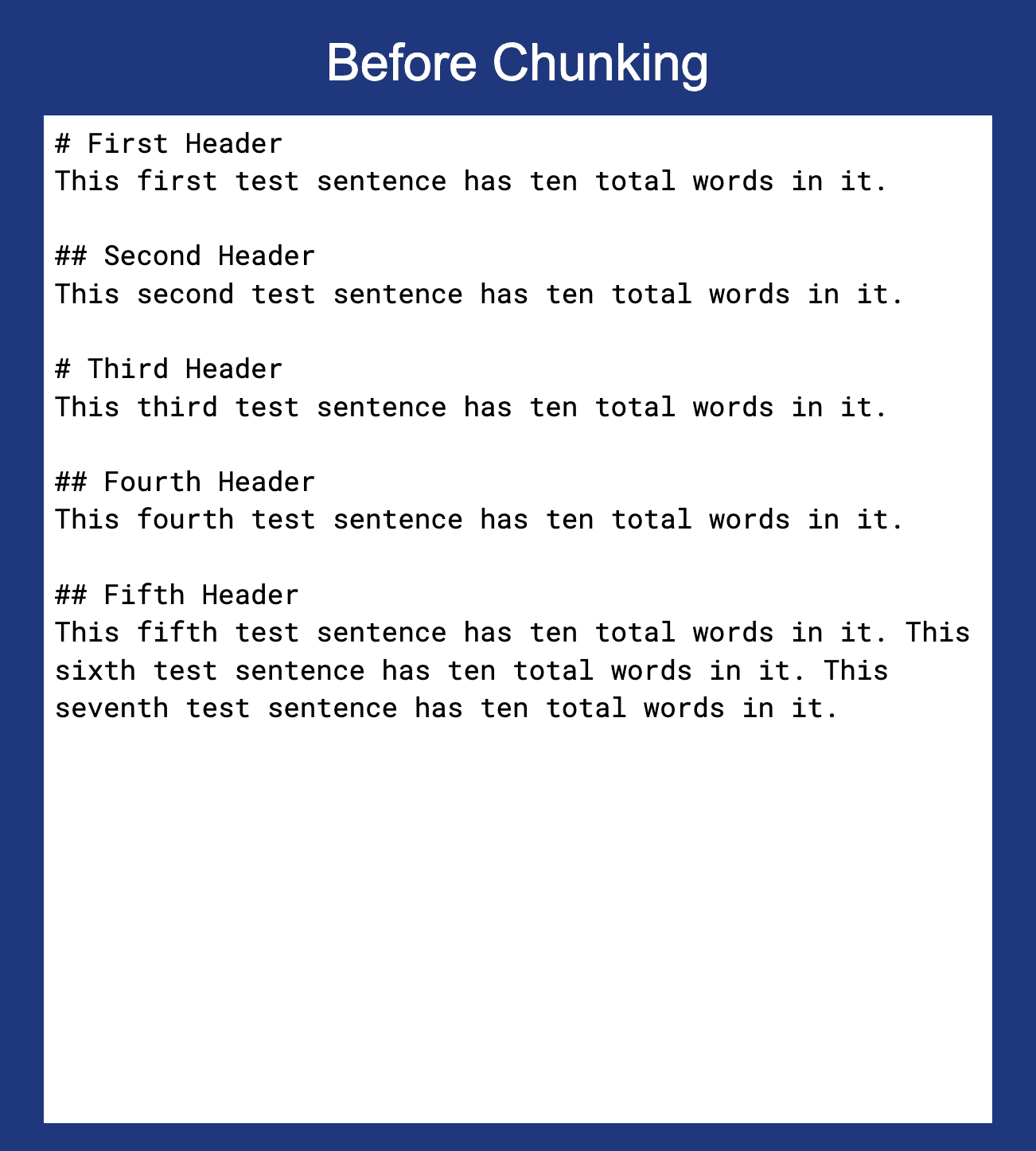
Now let’s use the chunking settings defined above to chunk the document:
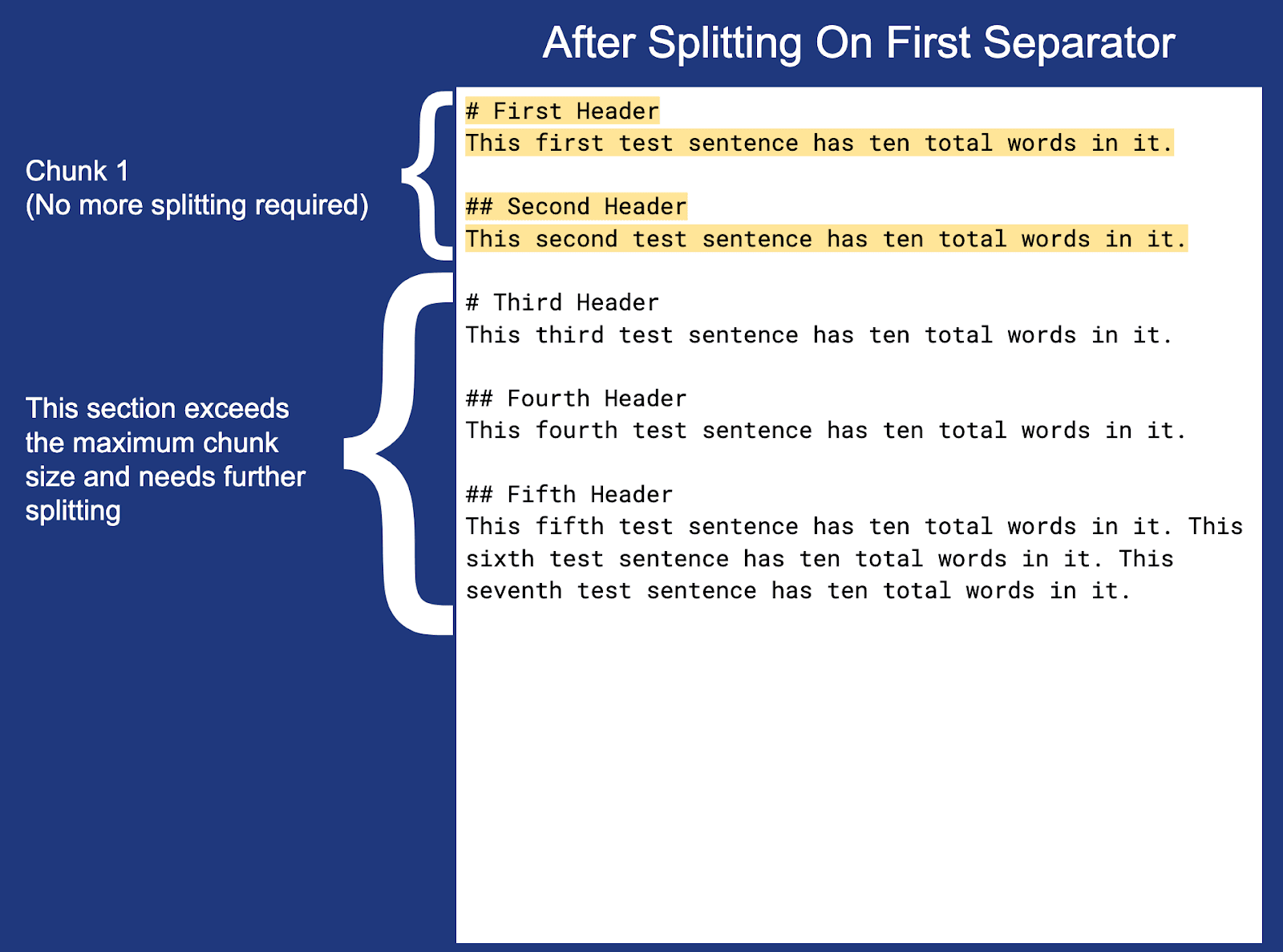
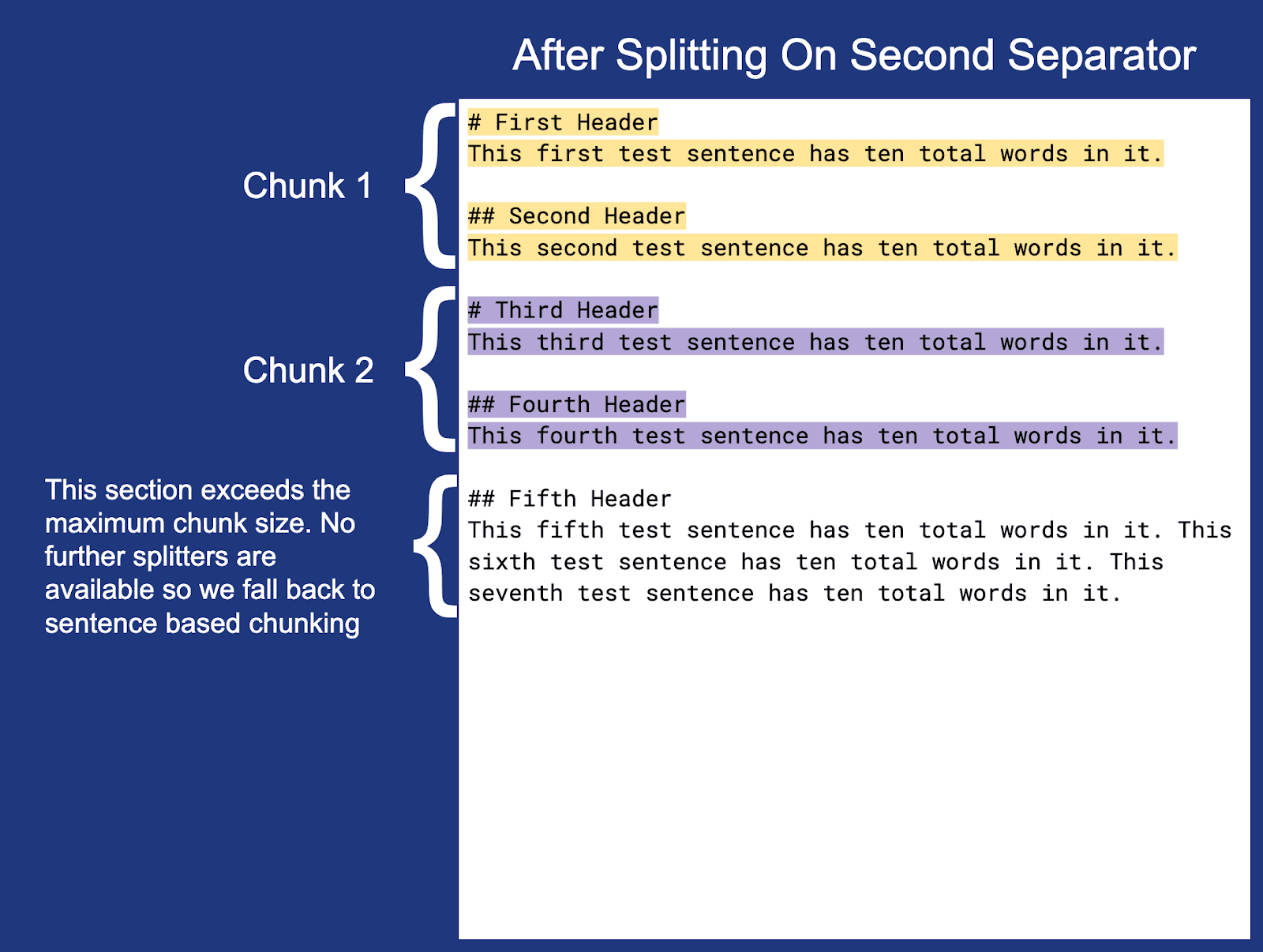
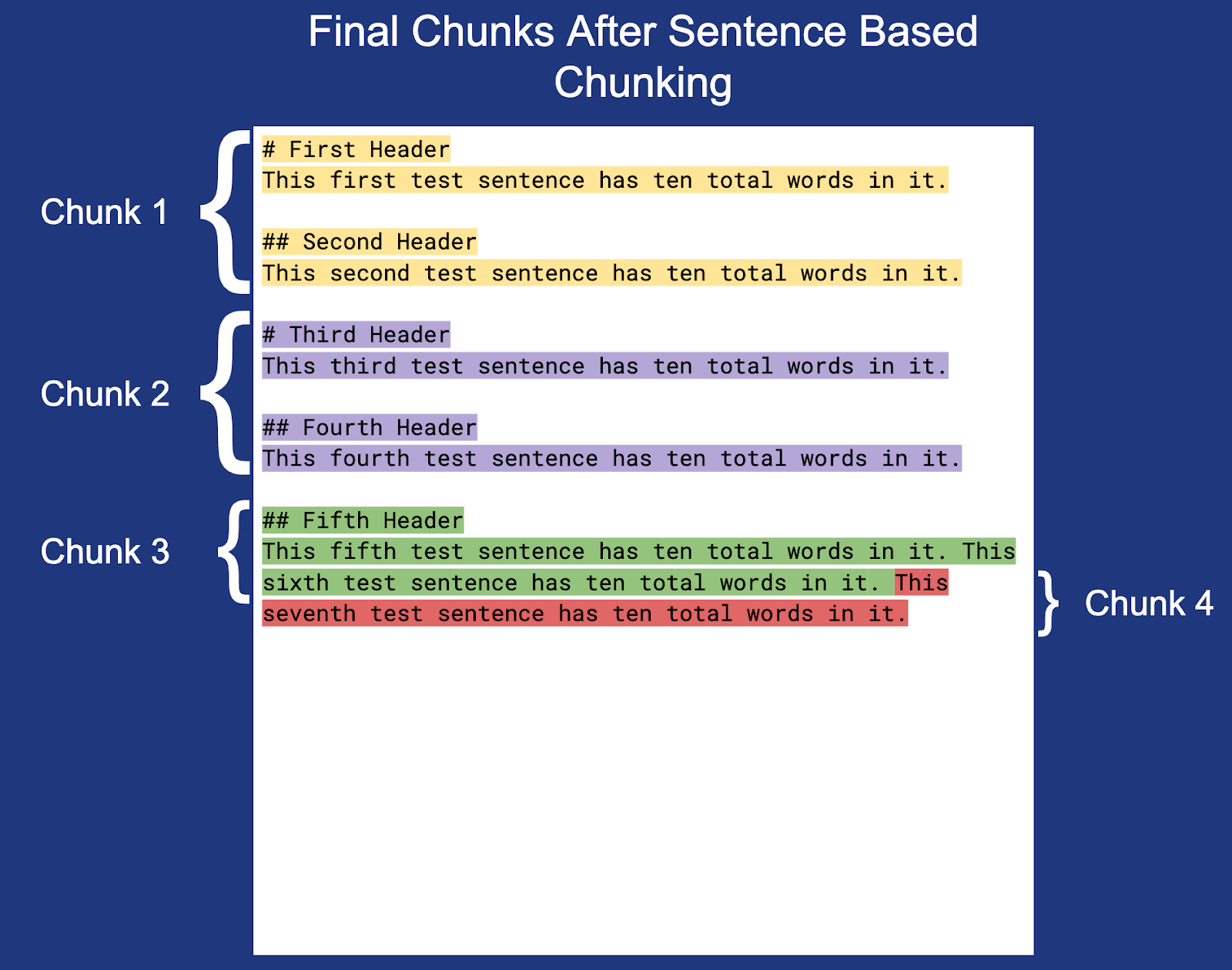
Note: The newline at the end of each chunk (except Chunk 3) is not highlighted but is included within the actual chunk boundaries.
Get started with recursive chunking today!
For more information on utilizing this feature, view the documentation on configuring chunking settings.
Related Content
February 3, 2026
Building automation with Elastic Workflows
A practical introduction to workflow automation in Elastic. Learn what workflows look like, how they work, and how to build one.

February 3, 2026
Skip MLOps: Managed cloud inference for self-managed Elasticsearch with EIS via Cloud Connect
Introducing Elastic Inference Service (EIS) via Cloud Connect, which provides a hybrid architecture for self-managed Elasticsearch users and removes MLOps and CPU hardware barriers for semantic search and RAG.

All about those chunks, ’bout those chunks, and snippets!
Exploring chunking and snippet extraction for LLMs, highlighting enhancements for identifying the most relevant chunks and snippets to send to models such as rerankers and LLMs.
January 20, 2026
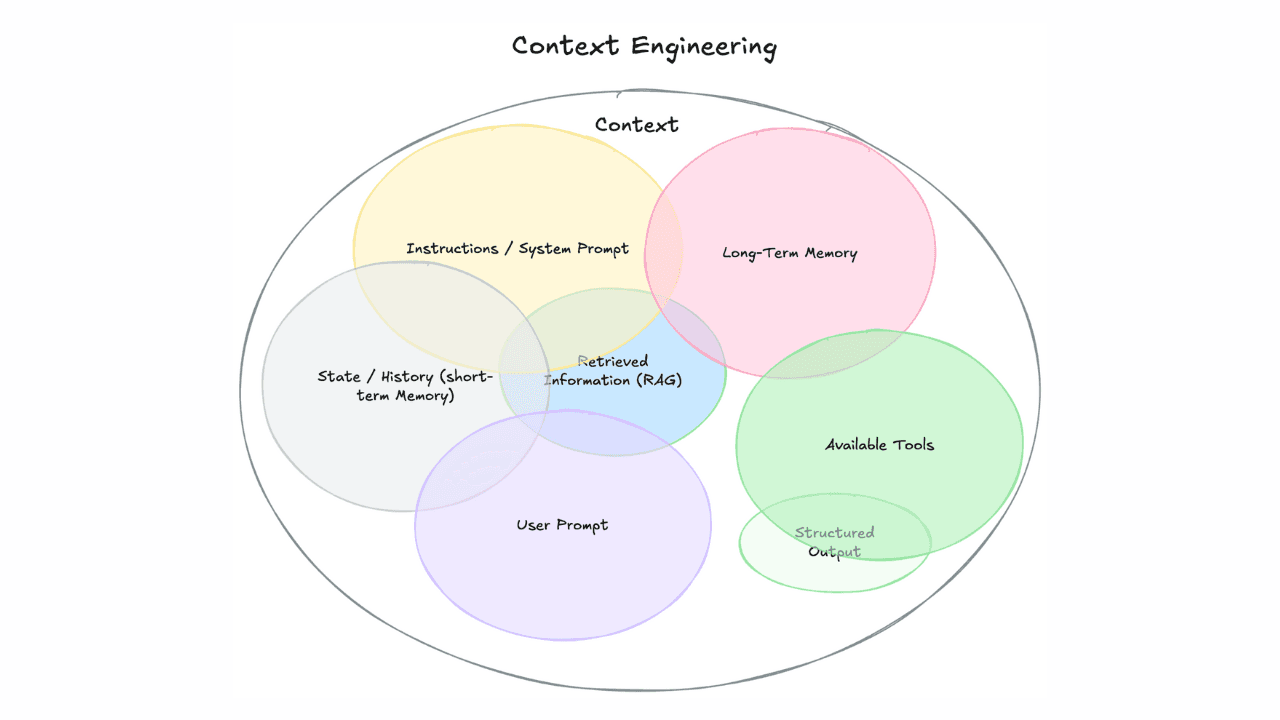
Context engineering vs. prompt engineering
Learn how context engineering and prompt engineering differ and why mastering both is essential for building production AI agents and RAG systems.

January 23, 2026
Improve search performance with `best_compression`
While `best_compression` is typically seen as a storage-saving feature for Elastic Observability and Elastic Security use cases, this blog demonstrates its effectiveness as a performance-tuning lever for search.