Elasticsearch has native integrations with the industry-leading Gen AI tools and providers. Check out our webinars on going Beyond RAG Basics, or building prod-ready apps with the Elastic vector database.
To build the best search solutions for your use case, start a free cloud trial or try Elastic on your local machine now.
In this article, we’ll go over how to use Microsoft Agent Framework with Elasticsearch to build a simple agentic application in Python and .NET.
We show how to easily build an agent for extracting business knowledge from Elasticsearch using the ES|QL language and the Elasticsearch client libraries.
Microsoft Agent Framework
Microsoft Agent Framework is a new library announced on October 1st 2025.
It is a multi-language framework for building, orchestrating, and deploying AI agents with support for both Python and .NET. This framework provides everything from simple chat agents to complex multi-agent workflows with graph-based orchestration.
Using the Agent Framework, you can create an agent with a few lines of code. Here is an example in Python to build a simple agent that writes a haiku about Elasticsearch:
In the Python example, we used the AzureOpenAIResponseClient class to create the HaikuBot agent. We execute the agent using the run() function, where we pass the user’s question “Write a haiku about Elasticsearch”.
And here is the same example in .NET:
In the .NET example, we used the OpenAIClient class and we created the agent using the CreateAIAgent() method. We can run the agent using the RunAsync() method, where we pass the same user’s question reported in the Python example.
Install the sample data
In this article, we are using a sample data set from an ecommerce website. To install this data set, we need to have an instance of Elasticsearch running for this example. You can use Elastic Cloud, or you can just install Elasticsearch on your computer, using the following command:
curl -fsSL https://elastic.co/start-local | sh
This will install the latest version of Elasticsearch and Kibana.
After the installation, you can log in to Kibana using the username elastic and the password generated by the start-local script (stored in a .env file).
You can install the eCommerce orders data set available from Kibana. It includes a single index named kibana_sample_data_ecommerce containing information about 4,675 orders from an ecommerce website. For each order, we have the following information:
- Customer information (name, id, birth date, email, etc)
- Order date
- Order id
- Products (list of all the products with price, quantity, id, category, discount, etc)
- SKU
- Total price (taxless, taxful)
- Total quantity
- Geo information (city, country, continent, location, region)
To install the sample data, open the Integrations page in Kibana (search for “Integration” in the search top bar) and install the “Sample Data”. For more details, refer to the documentation here: https://www.elastic.co/docs/explore-analyze/#gs-get-data-into-kibana.
Build an Elasticsearch agent
We want to create an Agent using Microsoft’s framework that can communicate with Elasticsearch to search specific indexes. We can use the Elasticsearch client libraries (e.g. Python and .NET) and build custom tools. These are libraries that simplify the usage of Elasticsearch with idiomatic interfaces for many languages.
For example, we could be interested in knowing if someone bought something on the ecommerce site. This can be done in many different ways. For instance, we can use the ES|QL language and execute the following query:
Or using the email address to search for a customer:
Another example we could be interested in is looking for the revenue of the ecommerce website divided by geolocation (e.g. the city name):
This query will return a table with the city name and total revenue, as reported in Figure 1. We can see that New York is the city that generates the most revenue.
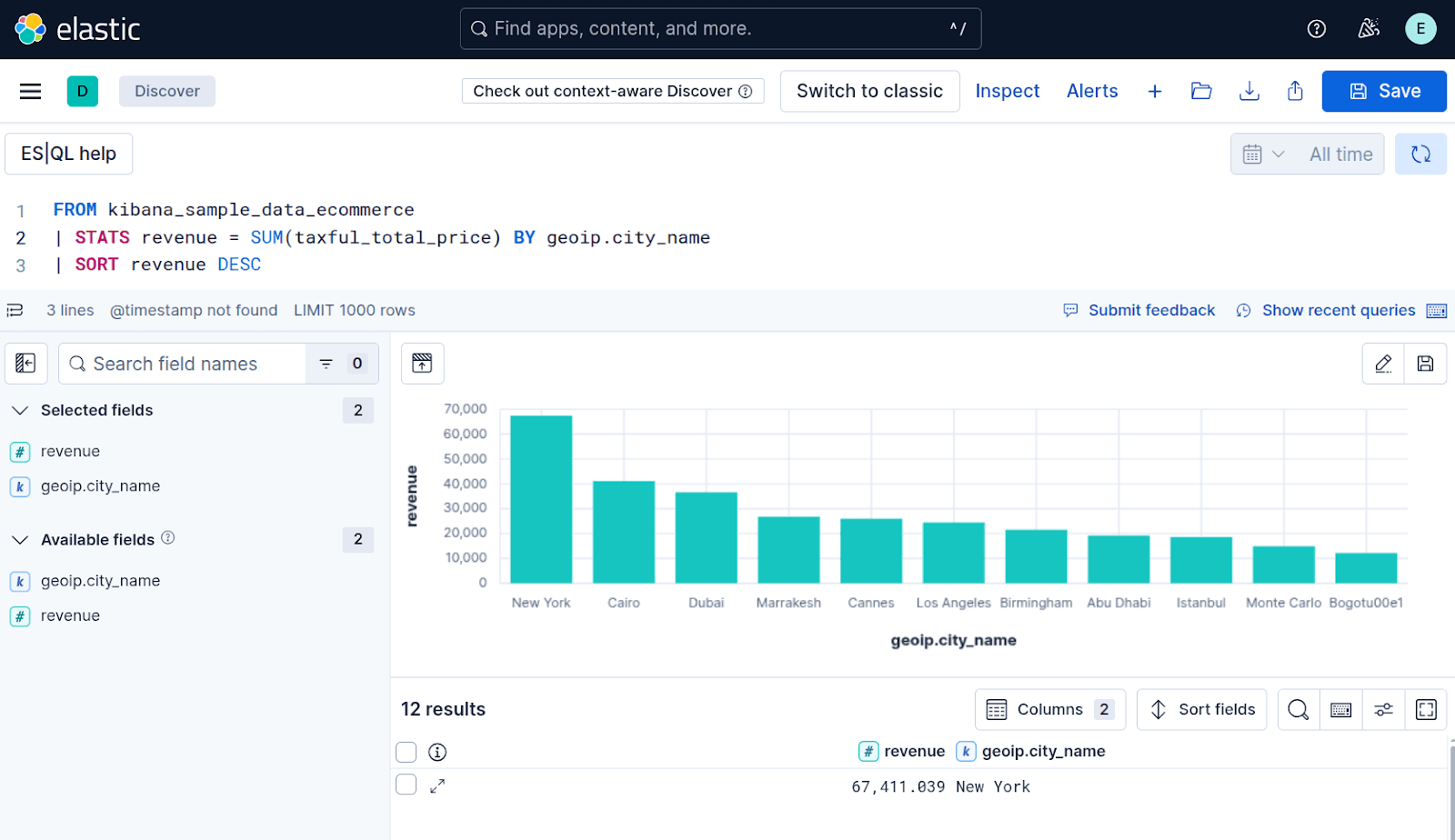
Figure 1: ES|QL console in Kibana
We can integrate these queries into different function tools, using the Microsoft Agent Framework.
Agent architecture
We are going to build a simple agent application with a couple of function tools to retrieve information from the kibana_sample_data_ecommerce index in Elasticsearch (Figure 2).
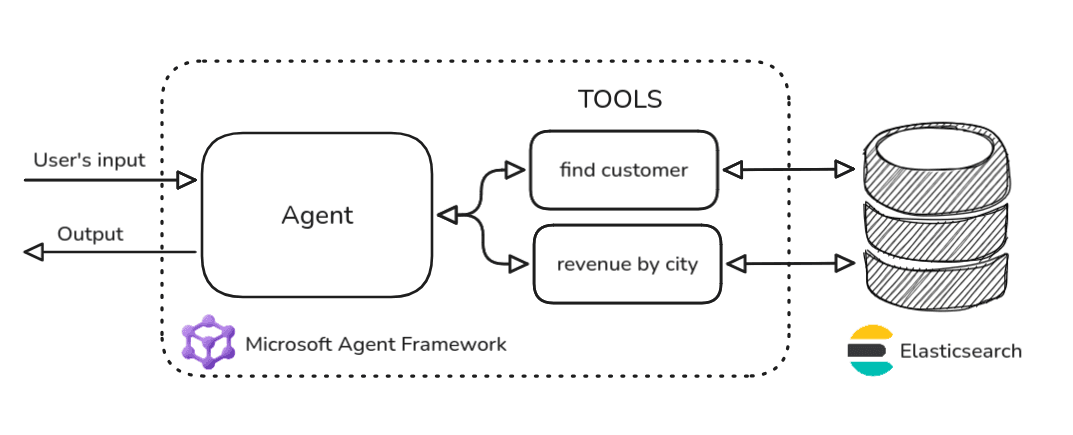
Figure 2: Diagram architecture of the Agentic application with Elasticsearch
When building Agentic AI applications, it is very important to describe the tools and the parameters that the LLM should invoke.
In our example, we are going to define the following tools:
- Find a customer, giving the name. The description of this function can be something like “Get the customer information for a given name”.
- Getting revenue from the orders, grouped by cities. The description of this function can be something like “Get the total revenues grouped by city”.
These descriptions are the relevant information that an LLM will use to recognize a function call.
The function call (also called tool calling) is an emergent property of LLMs, and it’s the core idea behind the development of agentic AI applications. For more information about function calls, we suggest reading the OpenAI function calling with Elasticsearch article by Ashish Tiwari.
We also need other descriptions related to the parameters to be invoked with the functions.
For the first tool, we need to specify the name of the customer and a second parameter that specifies the limit of the search. This last parameter is needed to avoid executing expensive queries that can return thousands of documents from Elasticsearch.
The second tool doesn’t require any parameters, since we are interested in grouping on the full data set. The limit for the aggregation query by city can actually be fixed (e.g. 100).
Python example
We built the agent using two tools created in the ElasticsearchTools class, as follows:
As you can see in the function tools, we used the Elasticsearch Python client to execute ES|QL queries. In the find_customer() function, we used two function named parameters in the query: {name} and {limit}.
These parameters, together with the description of the functions, are the ones managed by the LLM that needs to understand:
- If the user’s input requires the execution of
find_customer(), use the description of the function itself. - How to extract the
{name}and{limit}parameters for invoking thefind_customer()function, using the descriptions of the parameters.
We also put some debug prints in the code to have evidence of the fact that the LLM recognized the need to execute the tool.
Using the ElasticsearchTools class, we built a simple agent in the simple_agent_tools.py script. The relevant part of the code is inside the main() function:
Here we specified the instructions for the agent “You are a helpful assistant for an ecommerce backend application” and we attached to the agent the two tools find_customer and revenue_by_cities.
If we execute the main() function, we’ll obtain this output for the question: Is Eddie Underwood our customer? If so, what is his email?
It’s interesting to note that the LLM recognized from the question the value of 1 for the limit parameter, since we specified a full name to find.
This is the output of the second question: List all customers with the last name 'Smith'. Limit to 5 results.
In this example, the limit was implicit in the user’s query, since we specified “Limit to 5 results”. Anyway, it’s quite interesting that the LLM can extract and summarize the context of the first 5 customers from the ES|QL result, that is, a table structure returned in response[‘values’] inside the find_customer() function.
And finally, the last output of the third question:
Here, the LLM does not need to build the parameters since the revenue_by_cities() function does not require any. Anyway, it’s also interesting to mention how the LLM can perform complex extraction and manipulation of knowledge given a raw table returned from an ES|QL query.
.NET example
The .NET example demonstrates a slightly more advanced case. We create a “main” agent that is instructed to answer all questions in German, and we register the specialized “e-commerce” agent as a function tool. The full example is available here.
As the first step, we implement the ECommerceQuery class that provides the function tools for the “e-commerce” agent. These methods have the same functionality as the equivalent functions in the Python example.
Note that we return raw JsonElement objects to keep the example simple. In most cases, users would want to create a specialized model for the retrieved data. The Agent Framework automatically takes care of serializing the data type before passing the information to the LLM.
In our main program, we instantiate ECommerceQuery and create the “ecommerce” agent:
In a second step, we create the “main” agent and register the “ecommerce” one as a function tool:
And finally, we ask the same questions as in the Python example:
We can see pretty much the same answers, but in German. This shows that the “main” agent correctly invokes the “ecommerce” agent as a function tool.
Conclusion
In this article, we demonstrated how to build a simple agentic application using Microsoft’s Agent Framework and Elasticsearch. By creating custom tools, it is possible to implement specific logic for retrieving knowledge from Elasticsearch. We used ES|QL language to construct queries with parameters that can be managed by an LLM. This approach allows us to restrict execution to certain types of queries. With detailed descriptions of the tool and its parameters, we can guide the LLM to interpret the query correctly and extract the appropriate context.
Microsoft’s Agent Framework helps developers build efficient agentic applications, while Elasticsearch serves as a strategic partner by offering multiple methods for context extraction. We believe Elasticsearch can be a key component of the emerging context engineering approach, which complements the agentic paradigm for application development.
You can find the examples reported in this article on GitHub, in the following repository: https://github.com/elastic/agent-framework-examples.
Related Content

January 29, 2026
Building human-in-the-loop (HITL) AI agents with LangGraph and Elasticsearch
Learn what human-in-the-loop (HITL) is and how to build an HITL system with LangGraph and Elasticsearch for a flight system.
January 27, 2026
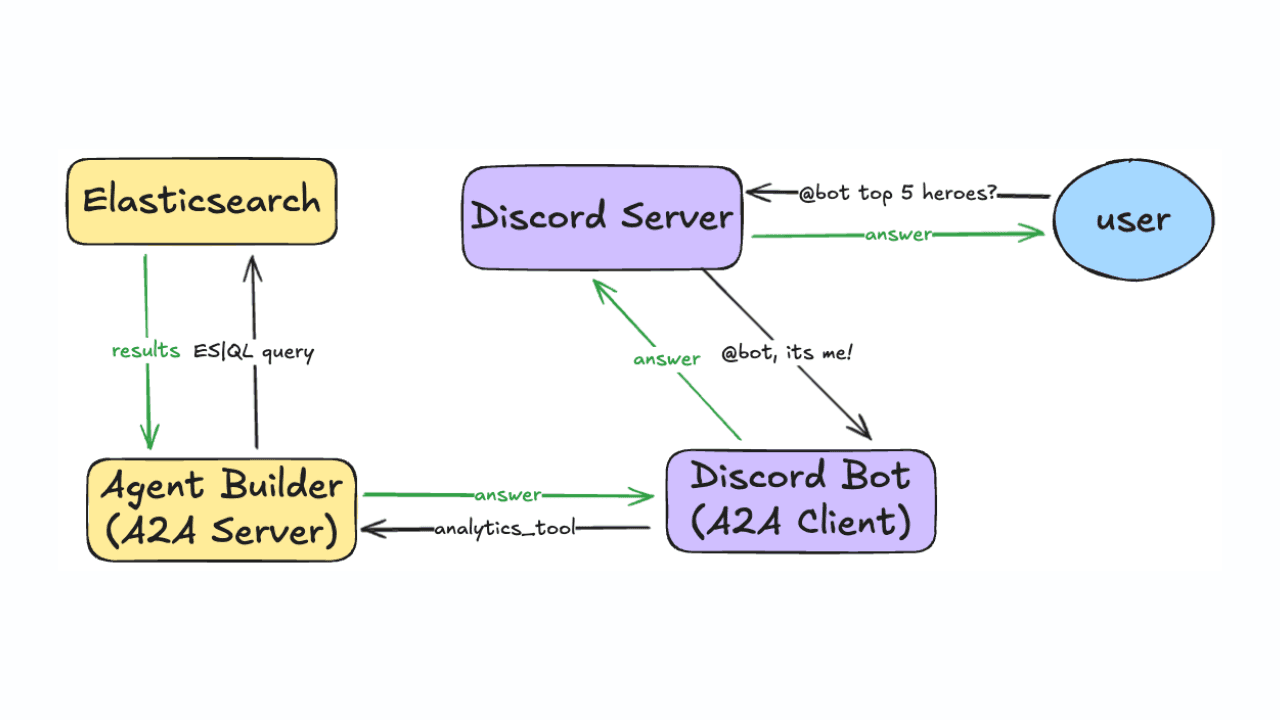
Using Discord and Elastic Agent Builder A2A to build a gaming community support bot
Learn how to connect Discord to Elastic Agent Builder's Agent-to-Agent (A2A) server to create a gaming community support bot.

All about those chunks, ’bout those chunks, and snippets!
Exploring chunking and snippet extraction for LLMs, highlighting enhancements for identifying the most relevant chunks and snippets to send to models such as rerankers and LLMs.
January 22, 2026
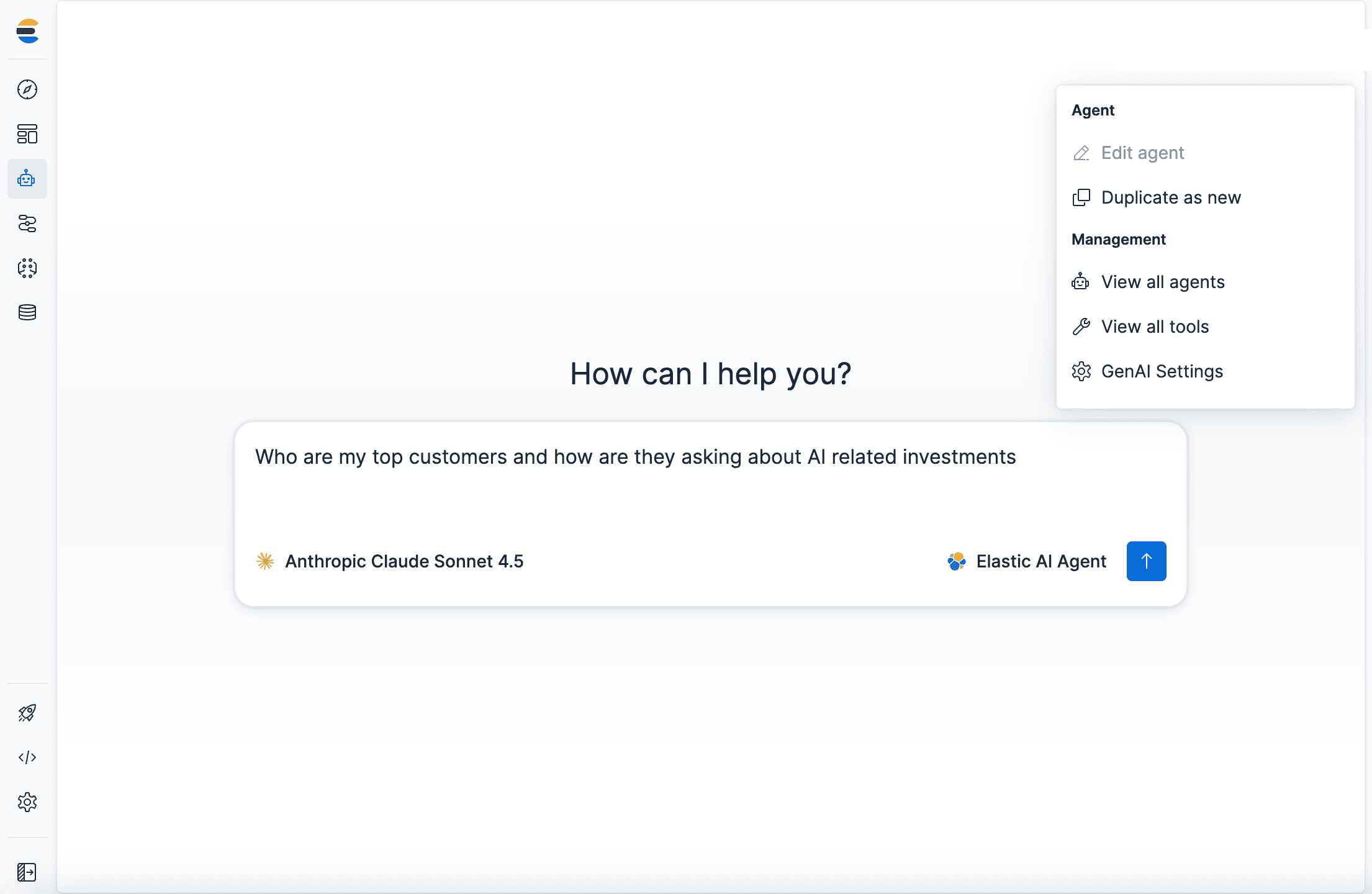
Agent Builder now GA: Ship context-driven agents in minutes
Agent Builder is now GA. Learn how it allows you to quickly develop context-driven AI agents.

January 22, 2026
Building voice agents with Elastic Agent Builder
Exploring how voice agents work and how to build one using Elastic Agent Builder and LiveKit.