Salesforce module
editSalesforce module
editThis is a module for Salesforce logs. It collects the logs using the following two different types of inputs:
-
httpjsoninput: collects historical data from Salesforce REST API. -
cometdinput: collects real-time data from Salesforce Streaming API.
It includes the following filesets for receiving logs:
-
login-restfileset: supports Salesforce Login logs received from the REST API. -
login-streamfileset: supports Salesforce Login logs received from the Streaming API. -
logout-restfileset: supports Salesforce Logout logs received from the REST API. -
logout-streamfileset: supports Salesforce Logout logs received from the Streaming API. -
apex-restfileset: supports Salesforce Apex logs received from the REST API. -
setupaudittrail-restfileset: supports logs generated when admins make in your org’s Setup area.
Note: We can leverage the inputs provided above to collect the rest of the events from the Salesforce REST or Streaming API.
When you run the module, it performs a few tasks under the hood:
- Sets the default paths to the log files (but don’t worry, you can override the defaults)
- Makes sure each multiline log event gets sent as a single event
- Uses an Elasticsearch ingest pipeline to parse and process the log lines, shaping the data into a structure suitable for visualizing in Kibana
- Deploys dashboards for visualizing the log data
Read the quick start to learn how to configure and run modules.
login-rest fileset settings
editExample config:
- module: salesforce
  login-rest:
    enabled: true
    var.client_id: "my-client-id"
    var.client_secret: "my-client-secret"
    var.token_url: "https://login.salesforce.com/services/oauth2/token"
    var.user: "[email protected]"
    var.password: "password"
    var.url: "https://instance-url.salesforce.com"
-
var.paths -
An array of glob-based paths that specify where to look for the log files. All
patterns supported by Go Glob
are also supported here. For example, you can use wildcards to fetch all files
from a predefined level of subdirectories:
/path/to/log/*/*.log. This fetches all.logfiles from the subfolders of/path/to/log. It does not fetch log files from the/path/to/logfolder itself. If this setting is left empty, Filebeat will choose log paths based on your operating system. -
var.client_id - Oauth client ID.
-
var.client_secret - Oauth client secret.
-
var.token_url - Oauth token URL.
-
var.user - The user used as part of the authentication flow. It is required for authentication - grant type password.
-
var.password - The password used as part of the authentication flow. It is required for authentication - grant type password.
-
var.url - The URL of the Saleforce instance.
login-stream fileset settings
editExample config:
- module: salesforce
  login-stream:
    enabled: true
    var.client_id: "my-client-id"
    var.client_secret: "my-client-secret"
    var.token_url: "https://login.salesforce.com/services/oauth2/token"
    var.user: "[email protected]"
    var.password: "password"
    var.url: "https://instance-url.salesforce.com"
-
var.paths -
An array of glob-based paths that specify where to look for the log files. All
patterns supported by Go Glob
are also supported here. For example, you can use wildcards to fetch all files
from a predefined level of subdirectories:
/path/to/log/*/*.log. This fetches all.logfiles from the subfolders of/path/to/log. It does not fetch log files from the/path/to/logfolder itself. If this setting is left empty, Filebeat will choose log paths based on your operating system. -
var.client_id - Oauth client ID.
-
var.client_secret - Oauth client secret.
-
var.token_url - Oauth token URL.
-
var.user - The user used as part of the authentication flow. It is required for authentication - grant type password.
-
var.password - The password used as part of the authentication flow. It is required for authentication - grant type password.
-
var.url - The URL of the Saleforce instance.
logout-rest fileset settings
editExample config:
- module: salesforce
  logout-rest:
    enabled: true
    var.client_id: "my-client-id"
    var.client_secret: "my-client-secret"
    var.token_url: "https://login.salesforce.com/services/oauth2/token"
    var.user: "[email protected]"
    var.password: "password"
    var.url: "https://instance-url.salesforce.com"
-
var.paths -
An array of glob-based paths that specify where to look for the log files. All
patterns supported by Go Glob
are also supported here. For example, you can use wildcards to fetch all files
from a predefined level of subdirectories:
/path/to/log/*/*.log. This fetches all.logfiles from the subfolders of/path/to/log. It does not fetch log files from the/path/to/logfolder itself. If this setting is left empty, Filebeat will choose log paths based on your operating system. -
var.client_id - Oauth client ID.
-
var.client_secret - Oauth client secret.
-
var.token_url - Oauth token URL.
-
var.user - The user used as part of the authentication flow. It is required for authentication - grant type password.
-
var.password - The password used as part of the authentication flow. It is required for authentication - grant type password.
-
var.url - The URL of the Saleforce instance.
logout-stream fileset settings
editExample config:
- module: salesforce
  logout-stream:
    enabled: true
    var.client_id: "my-client-id"
    var.client_secret: "my-client-secret"
    var.token_url: "https://login.salesforce.com/services/oauth2/token"
    var.user: "[email protected]"
    var.password: "password"
    var.url: "https://instance-url.salesforce.com"
-
var.paths -
An array of glob-based paths that specify where to look for the log files. All
patterns supported by Go Glob
are also supported here. For example, you can use wildcards to fetch all files
from a predefined level of subdirectories:
/path/to/log/*/*.log. This fetches all.logfiles from the subfolders of/path/to/log. It does not fetch log files from the/path/to/logfolder itself. If this setting is left empty, Filebeat will choose log paths based on your operating system. -
var.client_id - Oauth client ID.
-
var.client_secret - Oauth client secret.
-
var.token_url - Oauth token URL.
-
var.user - The user used as part of the authentication flow. It is required for authentication - grant type password.
-
var.password - The password used as part of the authentication flow. It is required for authentication - grant type password.
-
var.url - The URL of the Saleforce instance.
setupaudittrail-rest fileset settings
editExample config:
- module: salesforce
  setupaudittrail-rest:
    enabled: true
    var.client_id: "my-client-id"
    var.client_secret: "my-client-secret"
    var.token_url: "https://login.salesforce.com/services/oauth2/token"
    var.user: "[email protected]"
    var.password: "password"
    var.url: "https://instance-url.salesforce.com"
    var.interval: 1h
-
var.paths -
An array of glob-based paths that specify where to look for the log files. All
patterns supported by Go Glob
are also supported here. For example, you can use wildcards to fetch all files
from a predefined level of subdirectories:
/path/to/log/*/*.log. This fetches all.logfiles from the subfolders of/path/to/log. It does not fetch log files from the/path/to/logfolder itself. If this setting is left empty, Filebeat will choose log paths based on your operating system. -
var.client_id - Oauth client ID.
-
var.client_secret - Oauth client secret.
-
var.token_url - Oauth token URL.
-
var.user - The user used as part of the authentication flow. It is required for authentication - grant type password.
-
var.password - The password used as part of the authentication flow. It is required for authentication - grant type password.
-
var.url - The URL of the Saleforce instance.
-
var.interval - Period of fetching logs, i.e. 1s/1m/1h.
Note: The default value of var.interval is 1h. It is important to exercise caution when reducing the interval, as it directly affects the API rate limit of the Salesforce instance. Salesforce API rate limit is ~1000 API calls per hour. Hence if user goes with lower limit of var.interval, the Salesforce API rate limit will exceed and any additional API requests beyond the limit will result in an error response from the Salesforce API. The error message will typically indicate that the rate limit has been exceeded. Please refer to the following link for the Salesforce API Rate Limit.
apex-rest fileset settings
editExample config:
- module: salesforce
  apex-rest:
    enabled: true
    var.client_id: "my-client-id"
    var.client_secret: "my-client-secret"
    var.token_url: "https://login.salesforce.com/services/oauth2/token"
    var.user: "[email protected]"
    var.password: "password"
    var.url: "https://instance-url.salesforce.com"
-
var.paths -
An array of glob-based paths that specify where to look for the log files. All
patterns supported by Go Glob
are also supported here. For example, you can use wildcards to fetch all files
from a predefined level of subdirectories:
/path/to/log/*/*.log. This fetches all.logfiles from the subfolders of/path/to/log. It does not fetch log files from the/path/to/logfolder itself. If this setting is left empty, Filebeat will choose log paths based on your operating system. -
var.client_id - Oauth client ID.
-
var.client_secret - Oauth client secret.
-
var.token_url - Oauth token URL.
-
var.user - The user used as part of the authentication flow. It is required for authentication - grant type password.
-
var.password - The password used as part of the authentication flow. It is required for authentication - grant type password.
-
var.url - The URL of the Saleforce instance.
Example dashboard
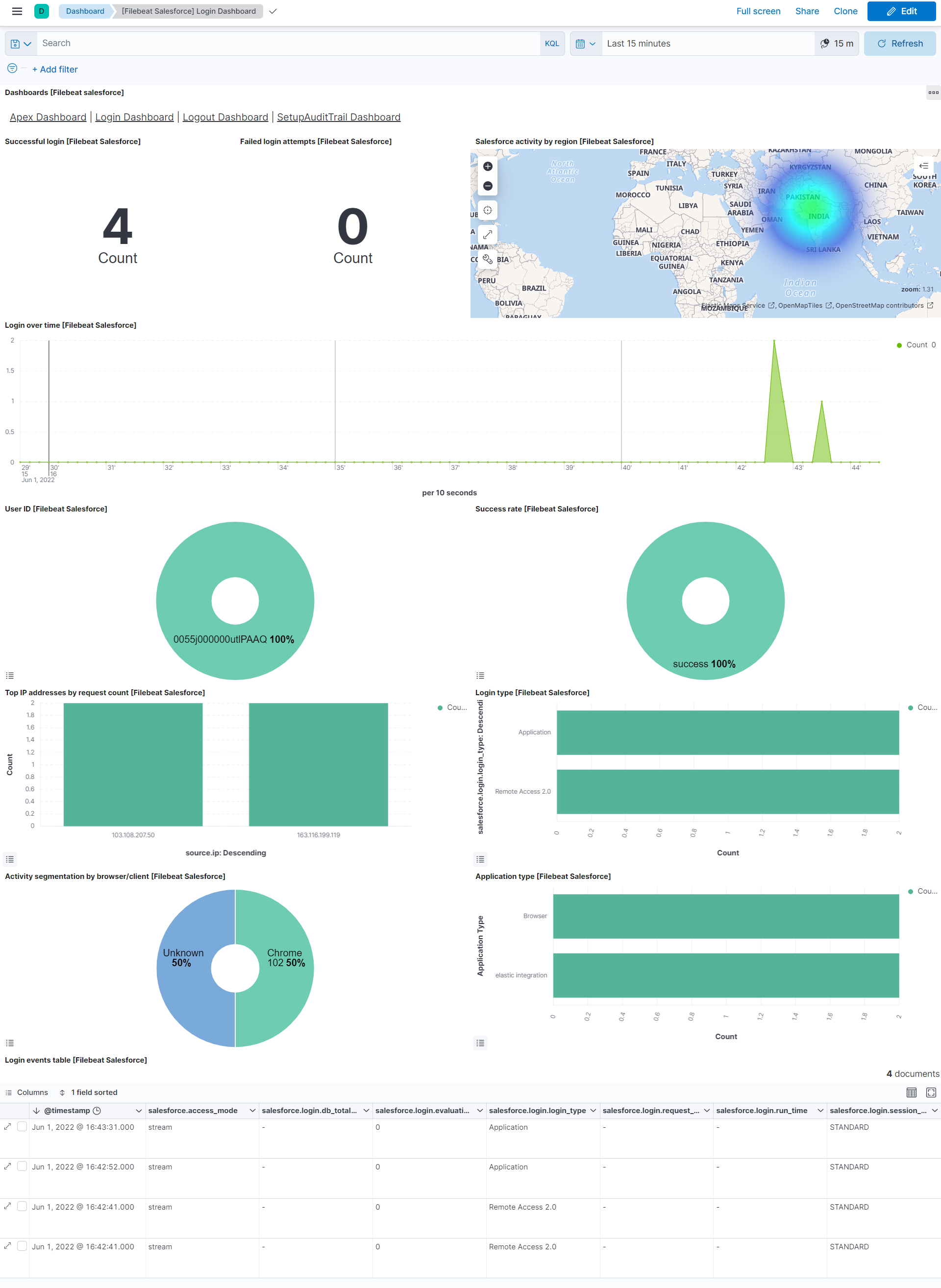
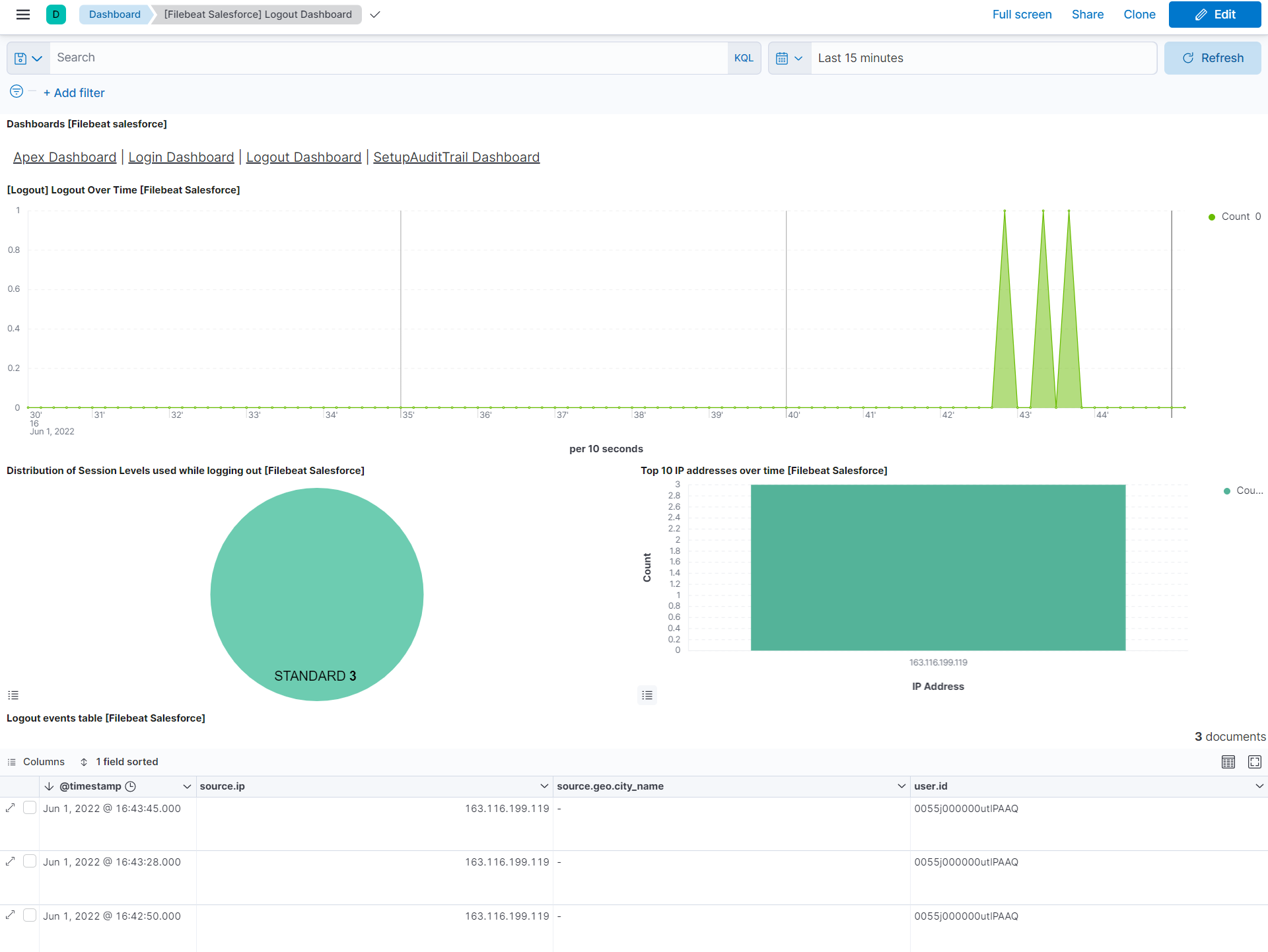
editThis Salesforce module comes with several predefined dashboards, including Login, Logout, Apex, and Setup Audit Trails Dashboards. For example:
Fields
editFor a description of each field in the module, see the exported fields section.